Filling the Barrels
Viper — Installation
-
Purging Barrels of Air
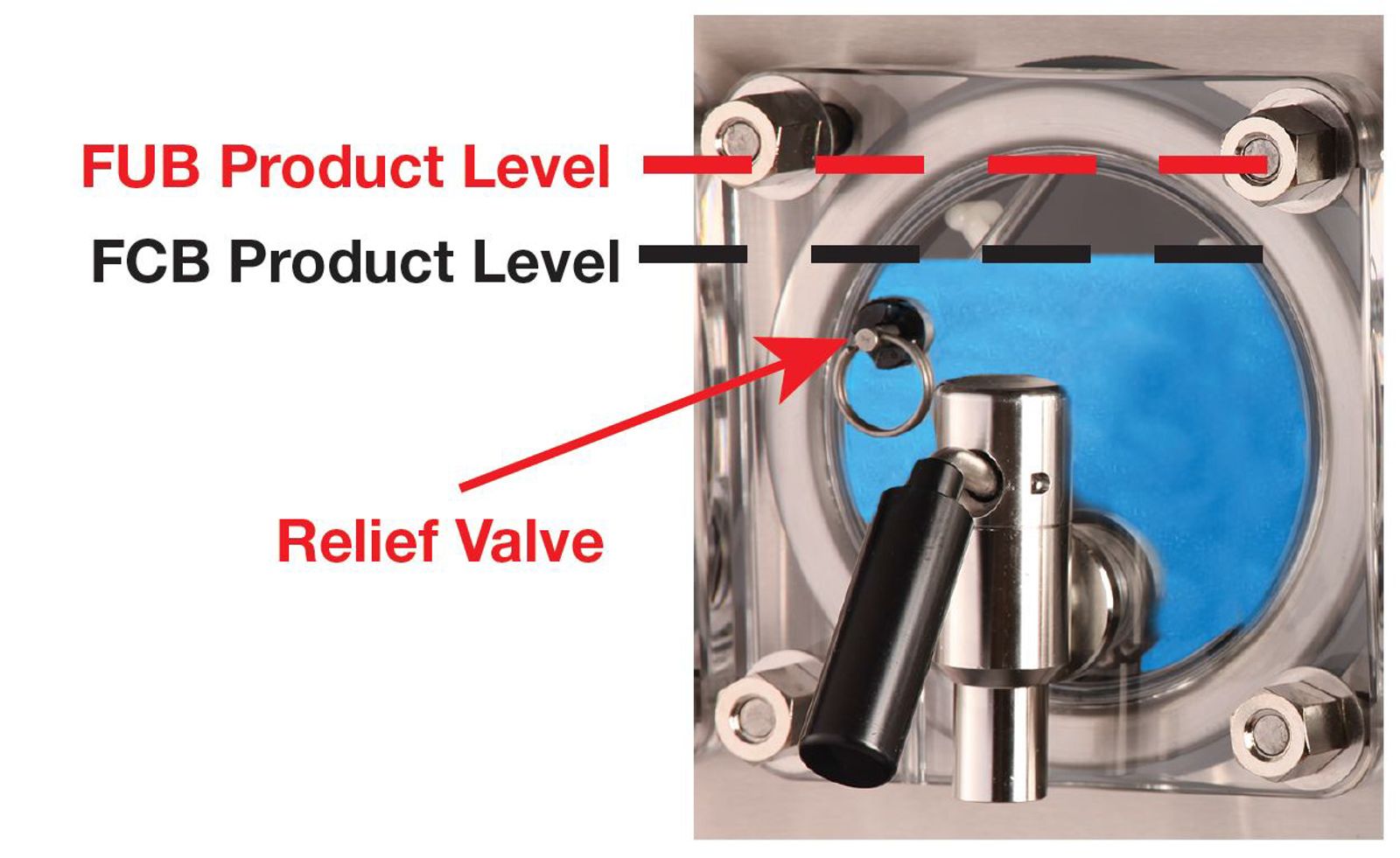
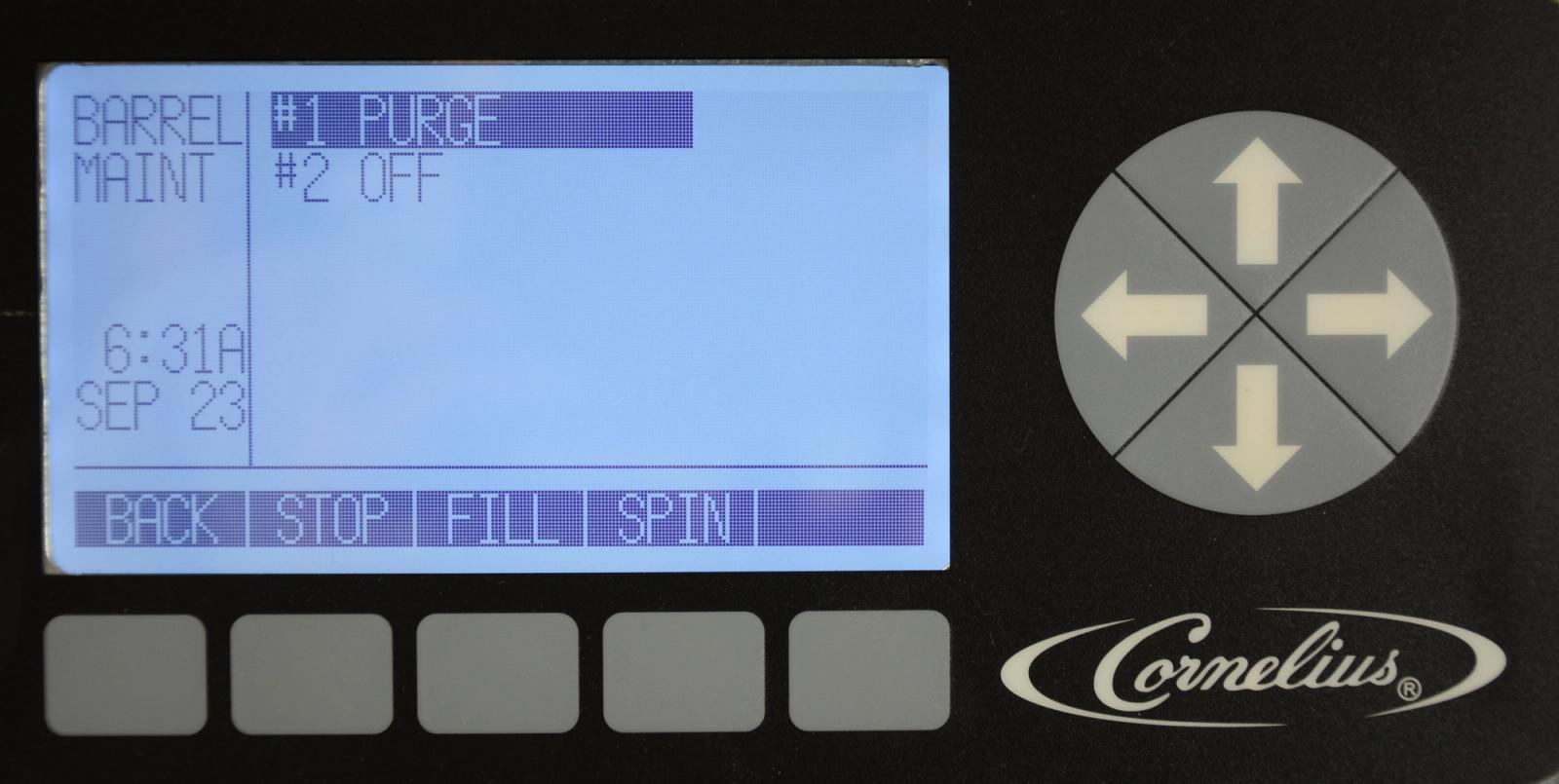
Before filling the barrel with product you must purge the barrel of air. To fill the Barrel with CO2 select MAINT, then BARREL MAINT, highlight the barrel being filed and then select PURGE. Let the barrel fill with CO2 and bleed air through the pressure relief valve located on the faceplate, repeat three times. Once completed turn the Purge off. Repeat for each additional barrel.
-
Filling Barrels with Product
Once the product has been brixed and barrels purged of air, it is time to fill the barrels with product. Go to MAINT, Barrel Maintenance, and use the up or down arrows to highlight the desired barrel. Pressing the FILL button starts the fill process for the barrel. The product will start to fill the barrel until the barrel fill switch reaches 28psi and stops filling. Lightly and slowly pull the relief valve ring on the faceplate to release gas pressure and the barrel will start to fill with product until 28psi is reached inside the barrel again. Repeat this process until the barrel is filled to the proper level, ~3/4” below the top of the barrel for FCB and ~1/2” below the top of the barrel for FUB. Once the product reaches the proper level, press the OFF button to stop the barrel filling process.
Note: Only fill one barrel at a time. This is only for setup and will fill automatically as needed in normal operation.